What if your entire office phone system could run from one centralized platform, while your employees answer calls from their desks, laptops, or mobile phones — even when they are working from different locations?
That’s the power of a Cloud IP PBX and Software IP PBX system.
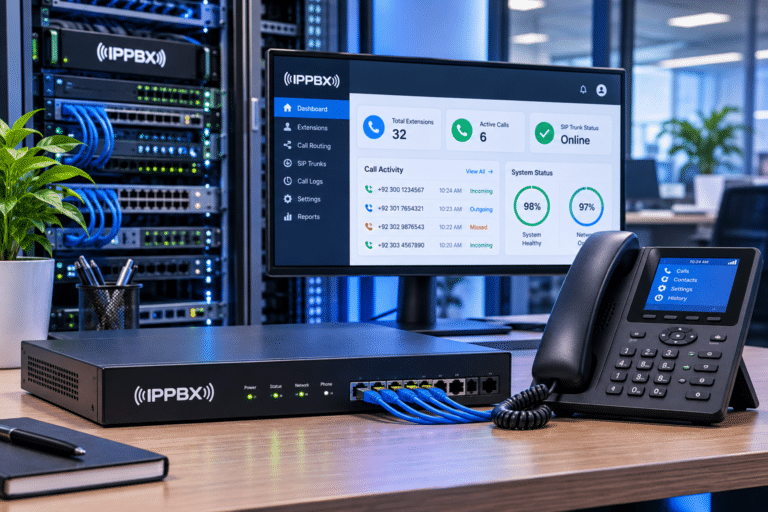
Traditional telephone systems often require dedicated hardware, complicated wiring, and additional infrastructure when a business expands. Modern software-based PBX solutions offer a more flexible approach. They allow companies to manage extensions, SIP trunks, call queues, IVR, call recordings, and remote employees through a centralized management platform.
For businesses in Pakistan, this technology is becoming an important part of digital transformation. From small offices and hospitals to large enterprises and call centers, organizations are moving towards intelligent IP-based communication.
At IPPBX.com.pk, we provide Cloud PBX, Software IP PBX, IP phone, SIP connectivity, and business communication solutions designed for modern organizations.
In this guide, we’ll explain how Cloud IP PBX works, what makes Software IP PBX different, which features matter most, and how businesses can choose the right solution.
What Is a Cloud IP PBX?
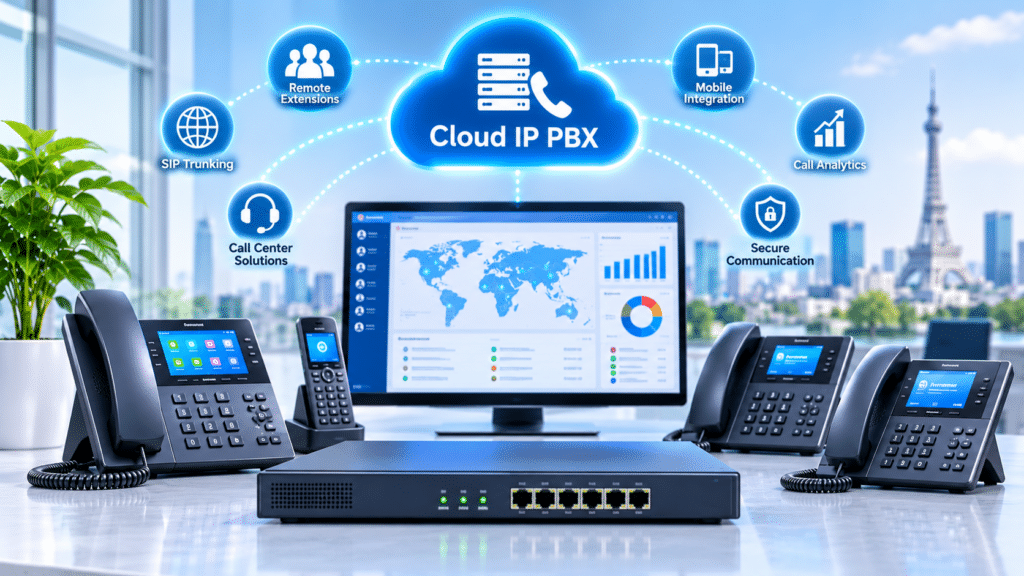
A Cloud IP PBX is a business telephone system hosted on cloud infrastructure rather than being operated entirely through a physical PBX device installed at the office.
It uses Voice over Internet Protocol (VoIP) and Session Initiation Protocol (SIP) to manage telephone communication over IP networks.
Instead of maintaining a traditional telephone exchange, businesses connect their compatible devices to a centrally hosted PBX platform.
Employees can use:
- SIP desk phones.
- Mobile VoIP applications.
- Desktop softphones.
- Web-based calling clients.
- Compatible conference phones.
- Remote office extensions.
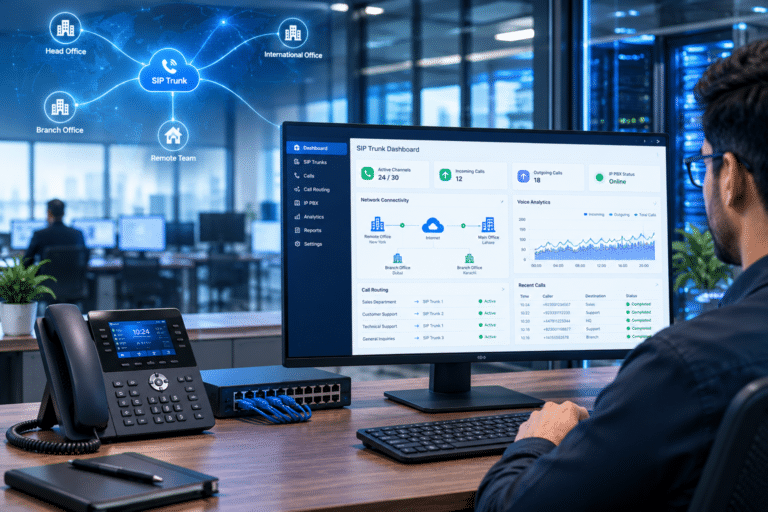
For example, a company operating in Lahore can host its telephone system centrally while employees in Karachi, Islamabad, and other locations connect through their internet connections.
The administrator can manage extensions, configure call routing, create departments, and monitor communication from one management portal.
Explore our Cloud PBX services in Pakistan to understand how hosted telephone systems can support modern businesses.
What Is a Software IP PBX?
A Software IP PBX is a telephone exchange that runs through dedicated software instead of relying entirely on a proprietary physical PBX appliance.
It can be installed on a dedicated server, virtual machine, or suitable cloud infrastructure, depending on the platform’s requirements.
The software manages communication between SIP phones, extensions, gateways, and external telephone networks.
Unlike a basic calling application, a Software IP PBX provides centralized telephone management and advanced business features.
Typical capabilities include:
- SIP extension registration.
- SIP trunk management.
- Incoming and outgoing call routing.
- Interactive Voice Response (IVR).
- Call recording.
- Ring groups and call queues.
- Remote extension connectivity.
- Voicemail management.
- Call detail records (CDR).
- Web-based administration.
- User and department management.
Software PBX solutions can be deployed on-premises or in the cloud. This gives businesses greater control over where their communication platform runs.
For organizations that need customized deployment and flexible infrastructure, Software IP PBX can be a practical choice.
Cloud IP PBX vs Software IP PBX: What Is the Difference?
These two terms are closely related, but they do not describe exactly the same thing.
A Software IP PBX describes the software-based telephone system. A Cloud IP PBX describes a deployment model in which that telephone system is hosted on cloud infrastructure.
A Software IP PBX can therefore be deployed in the cloud or on a company’s own server.
| Comparison | Cloud IP PBX | Software IP PBX |
|---|---|---|
| Deployment | Hosted cloud infrastructure | Dedicated server, virtual machine, or cloud |
| Hardware | Usually no local PBX appliance required | Server or virtual infrastructure may be required |
| Management | Centralized online management | Software-based administration |
| Remote access | Supported through internet connectivity | Depends on network and configuration |
| Maintenance | Often handled by hosting provider | Depends on deployment and support agreement |
| Scalability | Add users according to plan and capacity | Expand software and server resources |
| Initial investment | Often subscription-based | May include licensing and infrastructure costs |
| Control | Depends on provider and hosting arrangement | Can offer greater infrastructure control |
Which one should you choose?
Choose Cloud IP PBX if you want a centrally hosted telephone system with less local infrastructure.
Choose Software IP PBX if you need control over deployment, server resources, configuration, or integration requirements.
Both options can support professional business communication when properly designed and maintained.
How Does a Cloud-Based PBX System Work?
A cloud-based PBX connects employees, telephone devices, and external calling services through a centralized communication platform.
The process is straightforward.
- The Cloud PBX platform is deployed on suitable hosting infrastructure.
- Administrators create extensions for employees and departments.
- SIP phones or compatible applications register with the system.
- SIP trunks connect the PBX to supported external telephone networks.
- Incoming calls follow configured IVR menus, ring groups, and routing rules.
- Outgoing calls are processed through authorized SIP trunks.
- Administrators monitor call activity and system performance through the management portal.
For example, when a customer calls a company’s main number, the Cloud PBX can play a welcome message.
The caller can select sales, support, or accounts. The system then routes the call to the appropriate department or available employee.
This entire process can be managed without installing a traditional telephone exchange at every branch.
Key Features of Modern Software IP PBX Systems
A professional Software IP PBX should offer more than basic voice calling.
The following features help businesses improve call management, employee productivity, and customer experience.
1. Centralized Extension and SIP Trunk Management
Administrators can create, edit, disable, and manage employee extensions from a centralized interface.
Each user can receive a unique extension number.
For example:
- 1001 – Reception
- 1002 – Sales
- 1003 – Customer Support
- 1004 – Accounts
- 1005 – Management
SIP trunks can also be configured to manage incoming and outgoing external calls.
This makes it easier to manage multiple departments and business locations.
2. Automatic IP Phone Provisioning
One of the most useful features shown in our Cloud PBX reference demonstration is automatic phone provisioning.
Instead of manually configuring every SIP phone, administrators can manage compatible devices through the PBX provisioning interface.
The system can help administrators:
- Register compatible IP phones.
- Assign extensions to devices.
- Manage phone configuration templates.
- Monitor device registration status.
- Apply supported configuration updates.
- Manage multiple phones centrally.
For example, compatible Fanvil devices can be provisioned through a supported configuration workflow.
This is particularly helpful for businesses deploying dozens or hundreds of desk phones.
3. Advanced IVR and Auto Attendant
Interactive Voice Response (IVR) helps businesses manage incoming calls professionally.
A caller can listen to an automated greeting and select the required department.
A typical IVR structure might look like this:
- Press 1 for Sales.
- Press 2 for Customer Support.
- Press 3 for Accounts.
- Press 4 for Technical Assistance.
- Press 0 for Reception.
Modern PBX platforms can support multiple IVR levels, business-hour routing, and customized voice prompts, depending on the system.
4. Call Recording and Call Monitoring
Call recording helps businesses maintain communication records and review customer interactions.
It can be useful for:
- Customer support quality checks.
- Employee training.
- Dispute resolution.
- Service verification.
- Internal communication monitoring.
Administrators can configure recording policies and storage settings according to organizational requirements.
Recording should follow applicable privacy laws and company policies, with appropriate notice and access controls.
5. Ring Groups and Call Queues
Ring groups and call queues help distribute incoming calls among multiple employees.
A ring group can make several extensions ring together or according to a defined sequence.
A call queue can place callers in a waiting line until an agent becomes available.
These features are especially useful for customer service departments, hospitals, sales teams, and call centers.
6. Call Flow Designer and Intelligent Routing
A Call Flow Designer allows administrators to create visual call-routing workflows.
Instead of managing every routing condition separately, users can build a structured call journey using supported workflow components.
For example:
- Play a welcome message.
- Check business hours.
- Route calls to a department.
- Send unavailable callers to voicemail.
- Transfer urgent inquiries to a designated extension.
This makes advanced call management easier to organize.
7. AI Integration and Smart Communication
Modern business communication platforms are increasingly incorporating AI-powered capabilities.
Depending on the selected platform and integrations, businesses may use:
- AI receptionist services.
- Automated call routing.
- Speech-to-text transcription.
- Call summaries.
- Intelligent customer interaction workflows.
- CRM-based caller identification.
- Automated follow-up processes.
AI features depend on software editions, integrations, subscriptions, and configuration. They should be evaluated separately when selecting a PBX solution.
Cloud PBX for Call Centers and BPO Companies in Pakistan
Call centers require more than a telephone connection. They need a communication platform capable of handling multiple agents, incoming inquiries, outbound campaigns, and customer interactions.
A Cloud IP PBX provides centralized control over these activities.
For example, a customer support company in Pakistan can connect agents working from different locations through one PBX environment.
Important call center features include:
Automatic Call Distribution (ACD): Distributes incoming calls to available agents according to configured rules.
Call Queues: Keeps incoming callers in a waiting queue until an agent becomes available.
Supervisor Monitoring: Provides authorized supervisors with tools to monitor agent and call activity.
Call Recording: Helps review customer interactions and support staff training.
Call Analytics: Provides call records and performance information for reporting.
Remote Extensions: Allows authorized agents to connect through supported SIP devices or applications.
CRM Integration: Connects telephone activity with customer information and business workflows.
For organizations planning a complete contact center deployment, explore CallCenters.com.pk.
It provides a related resource for call center technology, agent operations, and business communication requirements.
Cloud IP PBX for Multi-Branch Offices and Remote Teams
Managing telephone communication across multiple offices can become complicated when every location operates a separate telephone system.
A centralized Cloud IP PBX can simplify this arrangement.
Consider a company with offices in Lahore, Karachi, and Islamabad.
Each location can connect to the same PBX platform through a suitable network connection.
Employees can communicate using internal extensions without needing a separate traditional telephone exchange at every branch.
Common applications include:
- Corporate head offices.
- Hospitals and medical centers.
- Educational institutions.
- Hotels and hospitality businesses.
- Retail chains.
- Banks and financial service offices.
- Customer support departments.
- Remote and hybrid teams.
The exact architecture depends on internet availability, security requirements, concurrent call capacity, and the selected PBX platform.
Compatible SIP Phones and PBX Hardware
A Cloud IP PBX or Software IP PBX needs compatible endpoints for employees to make and receive calls.
Popular business communication brands include:
Yeastar
Yeastar offers PBX platforms and business communication solutions, including appliance, software, and cloud deployment options across its product range.
Its P-Series platform includes features such as IVR, call recording, queues, call routing, remote connectivity, and unified communication tools, depending on the edition.
Grandstream
Grandstream offers IP PBX hardware, SoftwareUCM, CloudUCM, SIP phones, and VoIP gateways.
Its SoftwareUCM platform supports software-based PBX deployment in on-premises or cloud environments.
Fanvil
Fanvil manufactures SIP desk phones, wireless IP phones, and other business communication endpoints.
Its devices can be integrated with compatible PBX systems for employee extensions and business calling.
Yealink
Yealink provides business SIP phones, conference phones, and communication endpoints for offices and enterprise environments.
Cisco and Poly
Cisco and Poly offer professional IP communication devices for different business environments.
Always confirm device compatibility, supported SIP features, provisioning requirements, and firmware versions before purchasing.
Explore the IPPBX.com.pk product shop for available IP PBX equipment and communication devices.
Cloud IP PBX Pricing in Pakistan: What Should Businesses Expect?
The cost of a Cloud IP PBX or Software IP PBX in Pakistan depends on the deployment model and the features required.
Unlike a simple IP phone purchase, a complete PBX deployment involves several components.
| Cost component | What it covers |
|---|---|
| PBX subscription or licence | Access to the selected software platform |
| Cloud hosting | Server resources and infrastructure |
| Extensions | User accounts and extension capacity |
| SIP trunks | External calling connectivity |
| DID numbers | Direct business telephone numbers |
| IP phones | Employee desk phones |
| Storage | Call recordings and system data |
| Configuration | Installation and system setup |
| Support | Maintenance and technical assistance |
Some providers offer monthly subscription packages, while others provide customized enterprise deployments.
For an on-premises Software IP PBX, server capacity, software licensing, backup infrastructure, and maintenance can affect the overall budget.
For Cloud IP PBX, hosting resources, user capacity, calling plans, and additional features influence recurring costs.
How much does Cloud IP PBX cost in Pakistan?
There is no single fixed price for every business. The most suitable quotation depends on the number of extensions, simultaneous calls, required features, SIP trunk capacity, and hosting requirements.
Contact IPPBX.com.pk for a solution based on your actual business needs.
Cloud IP PBX vs On-Premises IP PBX: Which Is Better?
Both deployment options have advantages.
An on-premises IP PBX is installed on infrastructure controlled by the business. It can provide greater control over the local network, server resources, and system administration.
A Cloud IP PBX is hosted remotely and is generally easier to access across multiple locations.
| Business requirement | Cloud IP PBX | On-premises IP PBX |
|---|---|---|
| Remote employees | Excellent fit | Supported with proper configuration |
| Local hardware | Usually not required for PBX hosting | Server or PBX hardware required |
| Infrastructure control | Shared with hosting arrangement | Greater local control |
| Maintenance | Provider-dependent | Business or service partner |
| Multi-branch communication | Centralized | Possible through network connectivity |
| Backup planning | Depends on hosting provider | Requires local backup planning |
| Upfront infrastructure | Often lower | Can be higher |
A business should select its deployment based on security, budget, operational needs, internet reliability, and available technical resources.
Security and Reliability Considerations for Cloud PBX
Business communication contains important customer and organizational information. Therefore, security should be a key part of every PBX deployment.
Consider the following measures:
- Use strong extension passwords.
- Enable supported TLS and SRTP encryption.
- Restrict administrative access.
- Apply firewall and network security policies.
- Use secure remote registration methods.
- Keep PBX software and device firmware updated.
- Configure backups and recovery procedures.
- Monitor unusual registration and calling activity.
- Use appropriate access permissions for call recordings.
Network quality also affects voice performance.
A suitable internet connection, Quality of Service (QoS), stable routing, and proper bandwidth planning can help reduce latency, jitter, and packet loss.
Cloud hosting does not automatically guarantee uninterrupted calling. Review uptime commitments, redundancy, disaster recovery, and support arrangements before selecting a provider.
How to Choose the Right Cloud or Software IP PBX in Pakistan
Selecting the right system starts with understanding how your organization communicates.
Follow these steps before investing.
1. Calculate your extensions
Identify how many employees, departments, and branches require telephone access.
2. Estimate simultaneous calls
A company with 100 extensions may need fewer or more concurrent calls depending on its actual usage.
3. Choose the deployment model
Decide whether you need Cloud PBX, Software IP PBX, or an on-premises IP PBX.
4. Check SIP phone compatibility
Ensure your Fanvil, Yealink, Grandstream, or Cisco devices support the selected platform.
5. Evaluate call management features
Check IVR, queues, ring groups, recording, call reporting, and remote extensions.
6. Review integration requirements
If your business uses CRM software, customer support applications, or AI tools, check integration compatibility.
7. Plan technical support and backups
Confirm who will manage updates, monitoring, security, backups, and recovery.
A properly planned PBX system can support business growth without unnecessary infrastructure changes.
Why Choose IPPBX.com.pk for Cloud IP PBX Solutions?
A business telephone system is only as effective as its configuration and ongoing support.
IPPBX.com.pk helps organizations explore modern PBX and VoIP communication technologies for offices, enterprises, and call centers across Pakistan.
Our solutions include:
- Cloud IP PBX deployment.
- Software IP PBX solutions.
- Yeastar and Grandstream PBX systems.
- SIP trunk integration.
- SIP phone configuration.
- Fanvil and Yealink IP phones.
- Automatic IP phone provisioning.
- VoIP gateway integration.
- IVR and call routing configuration.
- Call recording and reporting.
- Call center communication solutions.
- Remote extension setup.
- PBX installation and technical support.
Whether you need a cloud-hosted telephone system for a small office or a software-based PBX for a large enterprise, our team can help you evaluate a suitable deployment.
Explore our Cloud PBX services and Software PBX solutions to learn more.
Frequently Asked Questions About Cloud IP PBX and Software IP PBX
1. What is the difference between Cloud IP PBX and Software IP PBX?
Cloud IP PBX describes a telephone system hosted on cloud infrastructure. Software IP PBX describes the software that manages telephone communication. Software PBX can run on a local server, virtual machine, or cloud environment.
2. Is Cloud IP PBX suitable for small businesses in Pakistan?
Yes. Cloud IP PBX can be suitable for small businesses that need professional extensions, call forwarding, IVR, and remote employee access without maintaining a physical PBX appliance at their office. The plan should match the business’s calling requirements and budget.
3. Can I connect Fanvil and Yealink phones to a Software IP PBX?
Yes, many Fanvil and Yealink SIP phones can connect to compatible Software IP PBX platforms. However, the exact compatibility depends on SIP support, firmware, configuration, and provisioning requirements.
4. Does Software IP PBX support call recording and IVR?
Yes. Many modern Software IP PBX platforms support call recording, IVR, call queues, ring groups, voicemail, and call routing. Feature availability depends on the selected platform, edition, and configuration.
5. Can Cloud IP PBX support a call center with multiple agents?
Yes. A suitable Cloud IP PBX can support multiple extensions, call queues, IVR, call distribution, recording, and remote agents. Larger contact centers should evaluate concurrent call capacity, supervisor features, reporting, and platform scalability.
6. Does Cloud PBX require a physical IP PBX device?
Not necessarily. A fully hosted Cloud PBX runs on remote infrastructure. Employees can connect through SIP phones, softphones, or compatible mobile applications. Some businesses may still use local gateways or other network equipment.
7. What internet speed is required for Cloud IP PBX?
The requirement depends on simultaneous calls, audio codecs, network conditions, and other internet usage. A professional deployment should calculate bandwidth per active call and include additional capacity for normal business traffic. Low latency, low jitter, and minimal packet loss are also important.
8. Can I use an existing IP PBX and upgrade to a software-based system?
In many cases, yes. Businesses can migrate from an existing PBX to a Software IP PBX or Cloud PBX, provided the existing phones, gateways, SIP trunks, and required features are compatible. A migration assessment is recommended before changing the live telephone system.
Key Takeaways: Cloud IP PBX Is Transforming Business Communication
Cloud IP PBX and Software IP PBX technologies give modern organizations more control over how they manage telephone communication.
Here are the main points to remember:
- Cloud IP PBX hosts business telephone services on cloud infrastructure.
- Software IP PBX runs through dedicated PBX software.
- Software PBX can be deployed on-premises or in the cloud.
- SIP phones allow employees to connect to centralized extensions.
- Automatic provisioning simplifies large-scale IP phone deployment.
- IVR, call queues, and call recording improve customer communication.
- Remote extensions support multi-branch and hybrid working environments.
- AI and CRM integrations can extend PBX functionality.
- Security, network quality, backup, and technical support are essential.
The best PBX solution is not simply the one with the most features. It is the one that fits your organization’s communication requirements, budget, infrastructure, and future growth plans.
Get a Cloud IP PBX Consultation in Pakistan
Ready to move beyond traditional telephone systems?
IPPBX.com.pk can help you explore Cloud IP PBX, Software IP PBX, SIP phones, cloud telephony, and complete business communication solutions.
Whether you need a new telephone system, want to migrate an existing PBX, or plan to connect multiple office locations, our team can help you identify the right technology.
Contact Us
- Website: https://ippbx.com.pk/
- Email: [email protected]
- WhatsApp: 03306246232
Request a consultation today and discover how a modern Cloud IP PBX can make your business communication more flexible, organized, and scalable.