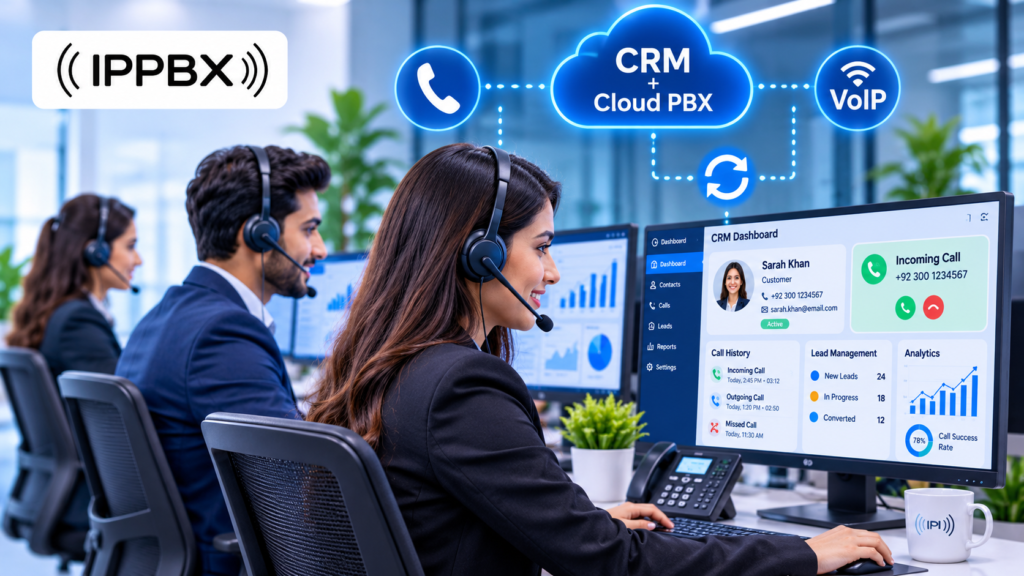
Modern businesses receive many customer calls every day. However, managing these calls, tracking customer information, and providing quick support can become difficult without the right technology. This is where CRM Integration for Call Centers becomes important.
CRM integration connects customer relationship management software with a business telephone system. As a result, call center agents can access customer details, manage incoming and outgoing calls, and track conversations from a connected platform.
For businesses in Pakistan, combining CRM software with IP PBX, VoIP, SIP, and Cloud PBX technology can create a better communication experience. It also helps sales and support teams manage their daily work more efficiently.
In this guide, we will explain how CRM integration works, its major benefits, important features, and how businesses can choose the right call center communication solution.
What Is CRM Integration for Call Centers?
CRM Integration for Call Centers means connecting CRM software with a business telephone system or call center platform. CRM stands for Customer Relationship Management. It helps businesses store customer information, manage leads, track sales, and maintain communication records.
When a CRM connects with a phone system, both platforms can share important information.
For example, when a customer calls your business, the system can recognize their phone number and display their available details on the agent’s screen. The agent can then check previous conversations, purchase records, and support requests.
This process saves time and helps agents provide more useful answers.
Businesses can connect CRM software with different communication technologies, including:
- IP PBX phone systems
- VoIP telephone services
- SIP trunking solutions
- Cloud PBX platforms
- Call center software
- Compatible IP phones and gateways
However, the available features depend on the CRM software and telephone system you choose.
How Does CRM Integration Work in a Call Center?
CRM integration connects your customer database with your business phone system. Although the setup can differ between platforms, the basic process is simple.
1. Connecting CRM Software With the Phone System
First, the business connects its CRM platform with an IP PBX, VoIP system, or call center solution.
The integration may use APIs, supported applications, or other connection methods. This allows both systems to exchange customer and call information.
2. Identifying Incoming Customer Calls
When a customer makes a call, the telephone system receives the incoming call. If the phone number already exists in the CRM database, the system may identify the customer automatically.
This helps agents understand who is calling before they begin the conversation.
3. Displaying Customer Information
The CRM can display useful information on the agent’s computer screen, such as:
- Customer name and phone number
- Previous call history
- Purchase information
- Customer support tickets
- Previous complaints
- Sales and follow-up records
Therefore, agents can provide more personalized assistance without asking customers to repeat every detail.
4. Saving Call Information
After or during a conversation, the connected system may save call details in the CRM.
These details can include call duration, call status, agent information, and notes about the conversation. Some platforms also support call recording and automatic activity logging.
Major Benefits of CRM Integration for Call Centers
CRM integration can improve several parts of call center operations. It helps businesses organize customer information and allows agents to work through a more connected communication system.
Improved Customer Experience
Customers expect quick responses and helpful support. However, agents cannot always provide good service when they lack access to customer information.
With CRM integration, agents can view relevant customer records during a call. This helps them understand customer problems and provide more accurate answers.
As a result, businesses can improve customer satisfaction and build stronger relationships.
Increased Agent Productivity
Without integration, agents often switch between different applications to check customer records, make calls, and update information.
This process wastes time and increases the chances of mistakes.
A connected CRM and telephone system can reduce unnecessary manual work. Agents can manage calls and customer information through a smoother workflow.
Better Lead Management
Sales teams receive leads through websites, advertisements, social media, and telephone inquiries.
A CRM-integrated call center helps businesses organize these leads and track their progress.
For example, an agent can contact a potential customer, record the conversation, and schedule another call. This makes it easier for sales managers to monitor opportunities and follow up with interested customers.
Easier Call Monitoring and Reporting
Call center managers need accurate information to understand team performance.
Depending on the available features, an integrated system can help managers review:
- Incoming and outgoing calls
- Missed calls
- Call duration
- Agent activity
- Customer interaction history
- Follow-up records
These reports help businesses identify problems and improve their customer support process.
Better Team Communication
CRM integration can connect different departments through shared customer information.
For example, a sales agent can record a customer’s requirements, and the support department can review those notes when the customer contacts the business again.
This reduces communication gaps between departments and creates a smoother customer journey.
Important Features of CRM Integration
Before selecting a CRM-integrated call center system, businesses should understand the features that can improve their communication process.
Click-to-Call
Click-to-call allows agents to make telephone calls by selecting a customer’s phone number inside the CRM.
Instead of dialing numbers manually, agents can start calls through the connected telephone system. This feature is especially useful for sales teams that make many outgoing calls.
Automatic Call Logging
Automatic call logging saves important call information in the CRM. It may include the call date, duration, phone number, and call status.
This helps agents maintain accurate communication records.
Screen Pop
Screen pop displays customer information when an incoming call arrives. Agents can quickly view customer details and previous interactions before answering the call.
Call Recording
Call recording allows businesses to save customer conversations for quality checks, staff training, and service improvement.
However, businesses should follow applicable privacy requirements and establish suitable recording policies.
Intelligent Call Routing
Call routing directs incoming calls to the right department or available agent.
For example, a customer calling about a technical issue can be directed to the technical support team instead of the sales department.
When supported by CRM information, routing can also help businesses create more relevant customer experiences.
Real-Time Call Reports
Real-time reporting helps supervisors monitor call center activities. Depending on the platform, they can review active calls, agent availability, call queues, and other performance details.
CRM Integration With IP PBX, VoIP and Cloud PBX Systems
A reliable telephone infrastructure is important for successful CRM integration. Businesses often use IP PBX, VoIP, SIP, and Cloud PBX technologies to manage their customer communication.
An IP PBX system manages business telephone extensions, incoming calls, outgoing calls, and call routing through an IP network. It can also support features such as IVR, call queues, and call recording.
VoIP services allow businesses to make voice calls through an internet connection instead of relying only on traditional telephone lines.
SIP services connect compatible telephone systems with communication networks and help businesses manage multiple voice channels.
Meanwhile, Cloud PBX services allow companies to manage their telephone systems through hosted infrastructure. This can support remote employees, multiple offices, and growing call center teams.
When these technologies work with compatible CRM software, businesses can create a more connected communication environment.
Explore our Cloud PBX Services, VoIP Services, and SIP Services to learn more about modern business telephone solutions.
How to Choose the Right CRM Integration for Your Call Center
Every business has different communication requirements. Therefore, you should consider a few important factors before selecting a solution.
Check CRM Compatibility
First, make sure your CRM software supports integration with your selected IP PBX or VoIP platform. Ask the provider about available APIs, supported applications, and integration options.
Understand Your Business Requirements
Consider the number of agents, daily call volume, departments, and required features.
A small business may only need click-to-call and call logging. However, a large call center may require advanced reporting, call recording, intelligent routing, and multiple call queues.
Consider Future Growth
Choose a communication system that can support additional agents, extensions, and departments as your business grows.
A scalable system can help you avoid unnecessary upgrades in the future.
Focus on Security
Customer databases contain important business information. Therefore, select solutions that support secure connections, access controls, and suitable data protection features.
Also, review how your provider manages call recordings and customer information.
Compare Installation and Maintenance Costs
CRM integration costs depend on the selected software, telephone system, number of users, and customization requirements.
Before making a decision, request a clear quotation covering installation, subscriptions, maintenance, and additional integration charges.
Why Choose IPPBX for Business Communication Solutions?
IPPBX provides business communication products and services designed for offices, enterprises, and call centers in Pakistan.
We offer IP PBX systems, IP phones, VoIP gateways, network switches, SIP services, VoIP solutions, and Cloud PBX services.
Our solutions can help businesses build a suitable communication infrastructure for their daily operations.
With the right setup, businesses can manage telephone extensions, incoming and outgoing calls, call queues, and customer communication more effectively.
We also help businesses with PBX installation, IP phone configuration, SIP connectivity, and communication system setup.
If you are planning to upgrade your call center, explore our Call Center Solutions and discuss your communication requirements with our team.
Final Thoughts
CRM Integration for Call Centers helps businesses connect customer information with their telephone systems. It can improve agent productivity, simplify call management, organize sales leads, and support better customer service.
By combining compatible CRM software with IP PBX, VoIP, SIP, or Cloud PBX technology, businesses can create a more organized communication environment.
However, choosing the right solution requires careful planning. Consider your business size, CRM compatibility, security needs, and future growth before making a decision.
IPPBX offers business telephone products and communication services to help companies in Pakistan build reliable and scalable communication systems.
Frequently Asked Questions
1. What is CRM integration for call centers?
CRM integration connects customer relationship management software with a telephone system to manage calls and customer information together.
2. What are the main benefits of CRM integration?
It improves customer service, agent productivity, lead management, call tracking, and reporting.
3. Can CRM software integrate with an IP PBX system?
Yes, compatible CRM platforms can connect with IP PBX systems through supported APIs or integration methods.
4. Does CRM integration work with VoIP services?
Yes, compatible VoIP platforms can support features such as click-to-call, caller identification, and automatic call logging.
5. Is CRM integration suitable for small businesses?
Yes, small businesses can use CRM integration to organize customer records, manage calls, and improve follow-up processes.
For more related services visit ipphone.com.pk